Slicer Discord
Archways and Windows - Risor District – 3D printable model from MyMiniFactory MyMiniFactory
Terrain

Archways and Windows - Risor District

0 Downloads
41 Likes
0 Makes
Go to Model
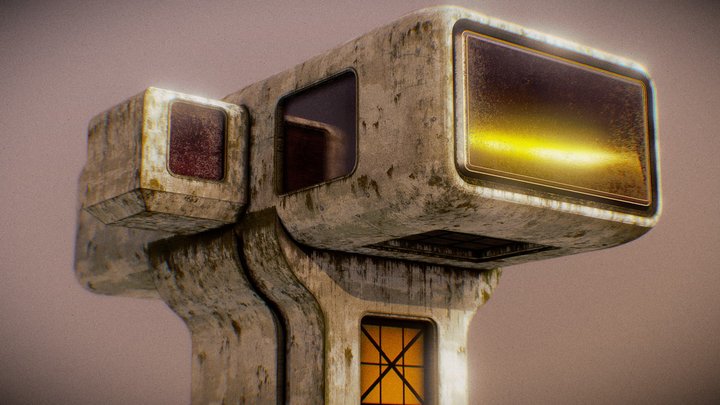
Join our MMF Tribe or Patreon (patreon.com/printminis) to get amazing value miniatures every month and 50% off our store! :)   In 28-32mm heroic scale. This is a fun little expansion to the Risor District adding two key features we haven't seen before. It adds lots of playability to your set ups, and is cross compatible with our previous Risor District releases :) Archways allow you to easily cross between city zones, and can also be combined with other modules, for example the Rot River Bar use the archway wall, so you can actually see the bar details! Just slot the Bar Facing into the double archway instead of the Archway facing, and add to your bar scene. Then we have windows, which give you better views to the internal details of your wall segments, and also provide shooting access for your gangers from inside a compound. Just add a Window Facing at the front and an Archway Facing at the back of a wall, and you have the perfect shooting spot! Video: https://www.instagram.com/re
Category
Terrain
Source
MyMiniFactory
Published
What you need to print this: Intermediate Medium confidence
Why?
supports needed
Single piece Supports required
Supports 2/3
Assembly 0/3
Settings 1/3
Bed size 0/3
Post-process 0/3
Printer
FDM / FFF
File format
STL
Material
PLA
Min. bed size
50 mm (Small)
Software
Cura, PrusaSlicer, or similar
Frequently Asked Questions
Which 3D printer is suitable for Archways and Windows - Risor District?
Any FDM printer should handle Archways and Windows - Risor District just fine. It's been printed on machines like Bambu Lab A1 Mini, Prusa Mini+, Creality Ender 3, most FDM printers. A minimum build volume of 50 mm is recommended.
Does Archways and Windows - Risor District need supports when printing?
Yes, Archways and Windows - Risor District will probably need supports for the overhangs. Tree supports work well here and are easier to remove than regular ones.
What file format is Archways and Windows - Risor District available in?
Archways and Windows - Risor District is available in STL format. These files can be opened and sliced using free software such as Cura, PrusaSlicer, Bambu Studio, or OrcaSlicer for FDM printing, or ChiTuBox and Lychee Slicer for resin printing. The download is provided through MyMiniFactory.
Is Archways and Windows - Risor District free to download?
Yes, Archways and Windows - Risor District is available as a free download through MyMiniFactory. Always check the license on the original platform to understand commercial use, remixing, and attribution requirements.
No ratings yet
No comments yet – be the first!

Similar Models

6 Suggestions
Feed Blog Slicer Cost Calculator Image Search Submit Kontakt Discord ☕ Buy me a coffee
DE EN FR ES IT NL

Add to Collection