Thingiverse
F-11D Blaster Stand
12
Downloads
11
Likes
0
Makes
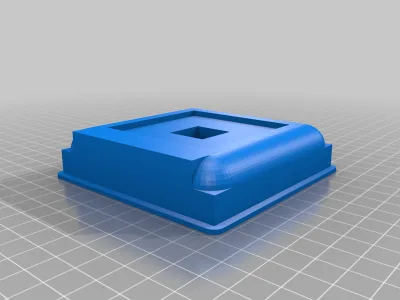
I was looking for a stand for my 3D printed F-11D blaster (by the Fithhorseman). Amazing model BTW! I had no luck in finding anything I could download for free. So, I spent many many hours modeling and printing tests to end up with my final stand. It's pretty bulky but holds the blaster very well. I decorated with side columns and a few pieces from the blaster file re scaled. The side towers have white inserts so that I can eventually add lights in them to give it a more cool looking display. This was created with my limited Fusion 360 skills at the time and spent many hours changing it around but at some point you have to walk away from a project and call it done :)
Print time is very long. I think it's over 24hrs for all of the items depending on how you slice it. I indexed the insert on the main body so they are easier to align and glue into place. I also scaled the main body so that it did not need to be cut and it will fit on my Ender 3 bed.
The images attached show the one
Print time is very long. I think it's over 24hrs for all of the items depending on how you slice it. I indexed the insert on the main body so they are easier to align and glue into place. I also scaled the main body so that it did not need to be cut and it will fit on my Ender 3 bed.
The images attached show the one
Did you print this model? Sign in and share your make!
Sign in to leave a comment
Sign inNo comments yet – be the first!