Slicer Discord
Mac mini M4 Cooling Stand with Power Button Access – 3D printable model from MakerWorld MakerWorld
Office

Mac mini M4 Cooling Stand with Power Button Access

38 Downloads
12 Likes
18 Makes
Go to Model
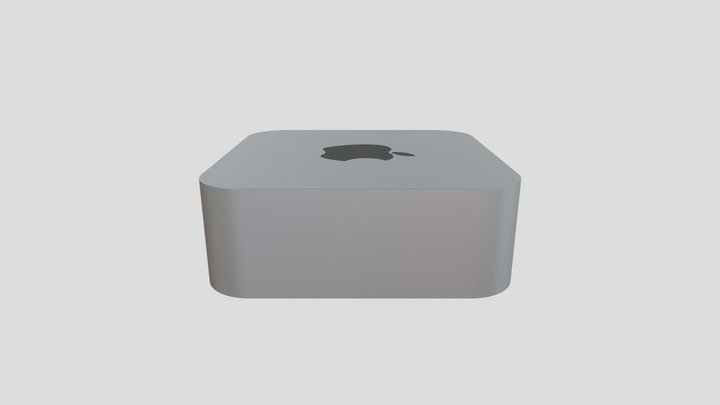
A precisely designed two-part stand for the Mac mini M4, offering both enhanced airflow and easy access to the power button.This stand fits the Mac mini M4 perfectly — no wobble, no gaps — and maintains the elegant look of Apple’s design language. Features:💨 Ventilated base to improve cooling and airflow around the Mac mini.🔘 Front power button port for quick and convenient operation.🧩 Two-part modular design: the inner ring and outer frame fit together securely for easy assembly and stable support.⚙️ Designed for easy 3D printing with No supports (recommended orientation: top face down).🎨 Clean, minimalist aesthetic that complements any workspace setup. Perfect for keeping your Mac mini cool, stable, and stylish. Boost MeThis is our first accurate model. If you feel it is a good model and useful for your Mac, please give us a boost : )Thank you!
Category
Office
Source
MakerWorld
Published
Updated
What you need to print this: Intermediate Medium confidence
Why?
no supports · significant post-processing
Support-free Hardware needed
Supports 0/3
Assembly 2/3
Settings 1/3
Bed size 0/3
Post-process 2/3
Printer
FDM / FFF
File format
STL
Material
Min. bed size
50 mm (Small)
Post-processing
Gluing, Hardware
Software
Cura, PrusaSlicer, or similar
Frequently Asked Questions
Which 3D printer is suitable for Mac mini M4 Cooling Stand with Power Button Access?
Any FDM printer should handle Mac mini M4 Cooling Stand with Power Button Access just fine. It's been printed on machines like Bambu Lab A1 Mini, Prusa Mini+, Creality Ender 3, most FDM printers. A minimum build volume of 50 mm is recommended.
Does Mac mini M4 Cooling Stand with Power Button Access need supports when printing?
No supports needed for Mac mini M4 Cooling Stand with Power Button Access — it's designed to print clean off the bed.
What file format is Mac mini M4 Cooling Stand with Power Button Access available in?
Mac mini M4 Cooling Stand with Power Button Access is available in STL format. These files can be opened and sliced using free software such as Cura, PrusaSlicer, Bambu Studio, or OrcaSlicer for FDM printing, or ChiTuBox and Lychee Slicer for resin printing. The download is provided through MakerWorld.
Is Mac mini M4 Cooling Stand with Power Button Access free to download?
Yes, Mac mini M4 Cooling Stand with Power Button Access is available as a free download through MakerWorld. Always check the license on the original platform to understand commercial use, remixing, and attribution requirements.
No ratings yet
No comments yet – be the first!

Similar Models

6 Suggestions
Feed Blog Slicer Cost Calculator Image Search Submit Kontakt Discord ☕ Buy me a coffee
DE EN FR ES IT NL

Add to Collection