 Sketchfab
nature-plants
Vai al Modello
Rock Tutorial
0
Download
69
Likes
0
Makes
Credit: https://www.youtube.com/watch?v=4EqLyGsu3AA, https://www.youtube.com/watch?v=nJ0PM7m9TJc
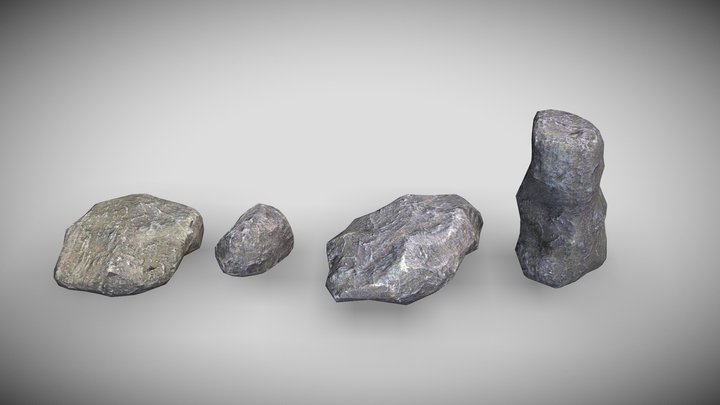
Blender Steps:
-Highpoly Stage
Subdivide the cube, displacement it using voronoi texture with global texture coordinate.
Find a PBR rock texture online, import it using Node Wrangler Addon.
Create Brighten edges: HueSaturationValue, Geometry/pointiness, ColorRamp, Multiply, Mix Color
Create Randomness: Object Info/Random, Custom ColorRamp, Overlay
-Lowpoly Stage
Duplicate the Highpoly, Decimate (by angle method is not friendly to physics engines), Apply Modifier, Vertex/AutoSmoothing, Smart UV Projection.
Create a new material for the lowpoly. Create Image Texture. Render/Bake tab, increase ray distance, selected to active.
For lighting, can consider darken the ground side
Select highpoly then lowpoly then texture node. Bake Combined. Bake Normal. Save Normal map to the disc and select Non-Color color space.
Export FBX. only selected obj, only mesh
Blender Steps:
-Highpoly Stage
Subdivide the cube, displacement it using voronoi texture with global texture coordinate.
Find a PBR rock texture online, import it using Node Wrangler Addon.
Create Brighten edges: HueSaturationValue, Geometry/pointiness, ColorRamp, Multiply, Mix Color
Create Randomness: Object Info/Random, Custom ColorRamp, Overlay
-Lowpoly Stage
Duplicate the Highpoly, Decimate (by angle method is not friendly to physics engines), Apply Modifier, Vertex/AutoSmoothing, Smart UV Projection.
Create a new material for the lowpoly. Create Image Texture. Render/Bake tab, increase ray distance, selected to active.
For lighting, can consider darken the ground side
Select highpoly then lowpoly then texture node. Bake Combined. Bake Normal. Save Normal map to the disc and select Non-Color color space.
Export FBX. only selected obj, only mesh
Hai stampato questo modello? Accedi e condividi il tuo make!
Accedi per lasciare un commento
AccediAncora nessun commento – sii il primo!