Thingiverse
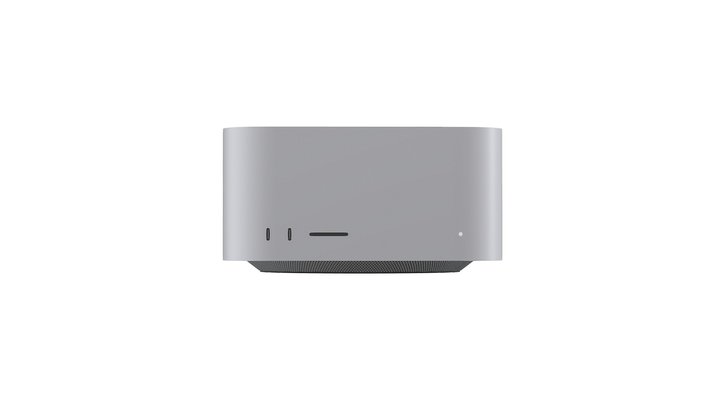
Mac Studio MAX Front Placed Button
by ramirom
2
Downloads
9
Likes
0
Makes
I created a first iteration of a front placed power button that requires the spring from a pen to and some super glue to assemble. I have also attached the fusion 360 file to allow for anyone to edit and make improvements as they would like.
Helpful Tips:
MAKE SURE TO PLACE THE POWER BUTTON IN ITS SHEATH BEFORE ADDING IN THE TRIGGER!!!
ADD THE SPRING BEFORE PLACING YOUR MAC STUDIO INTO PLACE!!!
Assembly tips: (Watch the gif for a rough reference of how to assemble this project. Please note that the spring was not included in the assembly gif but it is very crucial for making this print work.)
When assembling this product you will need to glue the pegs from the trigger side holders into the base, but while doing so I suggest assembling the trigger and the pin along with the holders already assembled to ensure that the trigger will aligned.
When I printed my version the thread for the pin did not fit so dont worry if the threads dont work the tension from the spri
Helpful Tips:
MAKE SURE TO PLACE THE POWER BUTTON IN ITS SHEATH BEFORE ADDING IN THE TRIGGER!!!
ADD THE SPRING BEFORE PLACING YOUR MAC STUDIO INTO PLACE!!!
Assembly tips: (Watch the gif for a rough reference of how to assemble this project. Please note that the spring was not included in the assembly gif but it is very crucial for making this print work.)
When assembling this product you will need to glue the pegs from the trigger side holders into the base, but while doing so I suggest assembling the trigger and the pin along with the holders already assembled to ensure that the trigger will aligned.
When I printed my version the thread for the pin did not fit so dont worry if the threads dont work the tension from the spri
Did you print this model? Sign in and share your make!
Sign in to leave a comment
Sign inNo comments yet – be the first!