Slicer Discord
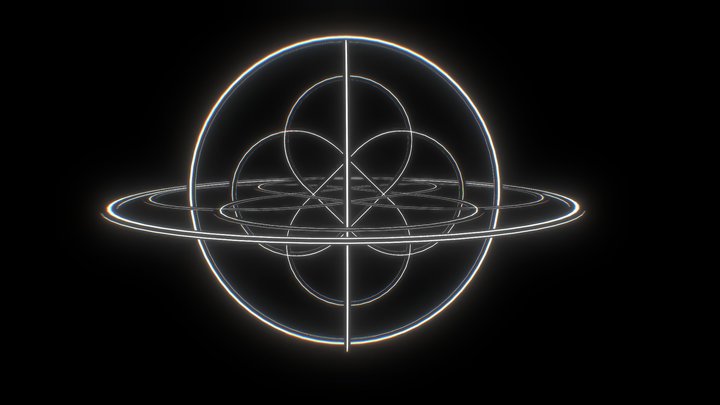
Magic Sphere – Modello 3D stampabile da MakerWorld MakerWorld
Decor

Magic Sphere

di Gregor · Decor
12 Download
14 Likes
3 Makes
Vai al Modello
Recently saw similar model ($30) and thought this is my challange in TinkerCad and Printing 2 filaments and support filament (BambuLabs “PLA+PETG Support”).Designed in TinkerCad with extraordinary custumizable shapes ("screw threads"). Massaged this on and added a sphere (ball). Bottom part is for a ball bearing "6903". Not necessarily needed, but doesn't hurt if you have it.Both PLA filaments are silk silver and silk gold.The ball is 0.2mm oversized, so touches the spiral and is printed together with spiral. I have two versions, whereas photographs only show version 1 = 72mm high:Version1: what you see on the photographs. 72mm high, printed upside down, spiral glued to the bottom part. You can see overhang behavior. Printed on BambuLab A1 with AMS lite and Bambu Support PLA/PETG. Layerheight 0.15mm, print time (iaw. my settings) 14 hours, I prefer to print not too fast.Amount of waste is enormous: Total weight of filament = 135g, part itself only 30g, 89g poop, 16g
Categoria
Decor
Fonte
MakerWorld
Pubblicato
Aggiornato
Cosa serve per stampare: Principiante Media affidabilità
Perché?
senza supporti · 2 colori
Senza supporti Pezzo unico 2 colori / AMS Viteria richiesta
Supporti 0/3
Assemblaggio 0/3
Impostazioni 1/3
Dimensioni piano 0/3
Post-lavorazione 1/3
Stampante
FDM / FFF
Formato file
STL
Materiale
PLA, ABS, PETG
Colori
2 (AMS/MMU consigliato)
Tempo stimato
14 h
Post-elaborazione
Viteria
Software
Cura, PrusaSlicer o simile
Domande frequenti
Magic Sphere necessita di supporti per la stampa?
No, Magic Sphere è progettato per essere stampato senza supporti. Ciò semplifica la stampa e riduce lo spreco di materiale e la post-lavorazione.
Quanto tempo occorre per stampare Magic Sphere?
Secondo le note di progettazione, Magic Sphere richiede circa 14 ore di stampa con impostazioni standard (altezza layer 0,2 mm, riempimento 15 %). Il tempo reale varia in base a velocità, altezza layer e densità di riempimento.
In quale formato file è disponibile Magic Sphere?
Magic Sphere è disponibile nel formato STL. Questi file possono essere aperti e slicizzati con software gratuito come Cura, PrusaSlicer, Bambu Studio o OrcaSlicer per la stampa FDM, oppure ChiTuBox e Lychee Slicer per la stampa in resina. Il download è fornito tramite MakerWorld.
Magic Sphere è scaricabile gratuitamente?
Sì, Magic Sphere è disponibile come download gratuito tramite MakerWorld. Controlla sempre la licenza sulla piattaforma originale per comprendere i termini di uso commerciale, remix e attribuzione.
Ancora nessuna valutazione
Ancora nessun commento – sii il primo!
Modelli simili

6 Suggerimenti
Feed Blog Slicer Calcolatore Ricerca per immagine Invia Contatto Discord ☕ Buy me a coffee
DE EN FR ES IT NL

Aggiungi alla collezione